Flow Web chat
AI chatbot for your website, in a copy and paste
Wherever your site lives — WordPress, Wix, Hostinger, Shopify or hand-built — iabot reads your content and generates a chat you install by pasting a snippet, without rebuilding anything.
your-site.com
Assistant on your site
Do you ship to the Canary Islands, and how long does it take?
We do, delivered in 48-72 h. The cost depends on weight and is in the rates table.
Sources
shipping-rates.pdf /shipping
The widget
What an AI chatbot on your website is
It is a widget you install by copying and pasting a snippet. Nothing has to be rebuilt: you add it and it starts answering with what is yours — PDFs, URLs, videos and images — and showing where each answer came from.
-
One snippet and done
It pastes in like any chat or pixel. No rebuild, no redesign.
-
Your knowledge
It answers with your PDFs, URLs, videos and images, not with what it can imagine.
-
Sources in plain sight
Every answer shows the documents and links it came from.
-
No coding
You pick what it should do, copy the snippet, and it updates itself when you change something.
The difference
More than a simple chat in the corner
For businesses that already have content — catalogue, rates, syllabus, policies — and don’t want a chat that answers generalities.
A generic chat
- Where the answer comes from
- A general model. You rarely know where the answer came from.
- Transparency
- No sources or, at best, a stray link.
- Other channels
- The website only, disconnected from the rest of your support.
- A person at the other end
- The visitor is stuck with whatever the bot can answer.
- What it is for
- Basic frequent questions and vague answers.
The iabot chat
- Where the answer comes from
- Your PDFs, your site, your videos and images, indexed in your Knowledge Core.
- Transparency
- A cited-sources block with the documents used in that answer.
- Other channels
- The same knowledge answers on WhatsApp, Telegram and the phone.
- A person at the other end
- You escalate to your team from the panel and carry on the conversation.
- What it is for
- Support, sales, content guidance and internal training.
Installation
How to install it in three steps
-
01
Build your knowledge
Upload PDFs, connect URLs and add videos and images so the AI answers with that.
-
02
Copy the widget code
You generate it from the panel and take it away copied, ready to paste.
-
03
Paste it on your site
Save, reload, and your website already has the chat answering with your content.
If tomorrow you upload more PDFs or change your knowledge, the chat on your site finds out on its own: the snippet you pasted never has to be touched again.
Where you can paste it
Anywhere you can insert HTML works; these are the usual ones.
- WordPress Plugin or theme
- Wix Custom code
- Shopify Store theme
- Webflow Project code
- Hostinger Builder and hosting
- HTML Any hand-built site
What people use it for
What it can do on your site
-
Support and frequent questions
- Answers better than a FAQ page, because it understands how people actually ask.
- Explains hard PDFs in plain language: rates, catalogues, contracts.
- Solves things out of hours without filling your inbox.
-
Marketing and sales
- Recommends products, articles or pages of your site based on what is being asked.
- Qualifies the visitor and passes on what deserves a call.
- Moves the conversation to WhatsApp when that is where it closes.
Not a mockup
The chat, running on customer websites
In both screenshots you can see the widget in the bottom right corner. These are customer sites: they open right now and you can ask it yourself.
-
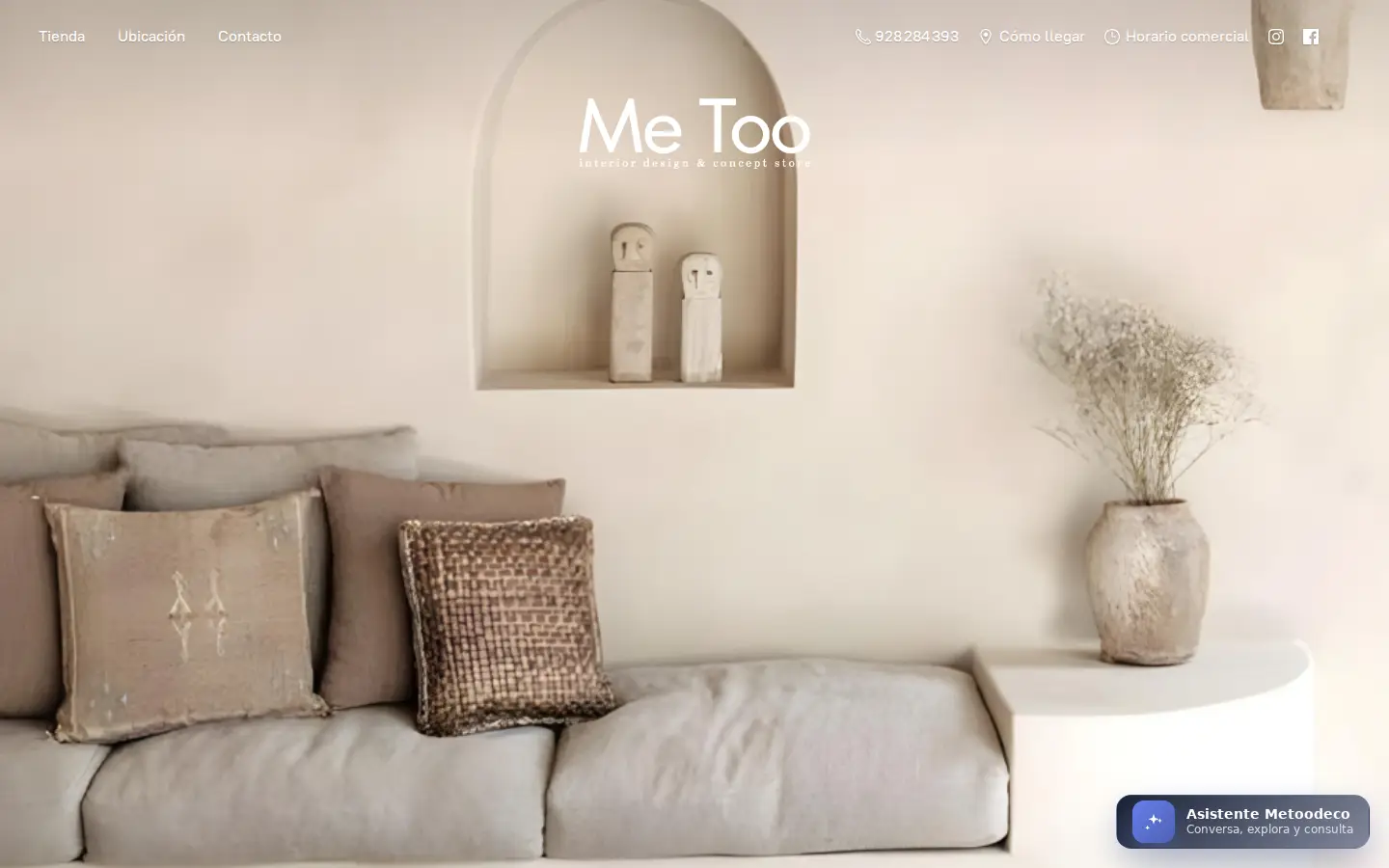
Interior design and store
Me Too Interior Design & Concept Store
The assistant answers on the store’s own site: product queries, location and opening hours.
metoodeco.com
-

Medical distribution
ACJ Healthcare
Medical and hospital supplies distributor, with the assistant answering queries on its site.
acjsa.com
One brain, several channels
Upload it once and it works everywhere
The same Knowledge Core that answers on your website answers on the other Flow channels. No four bots to maintain and no uploading the catalogue four times.
-
Chat on your site
With its sources in plain sight.
-
WhatsApp Business
The channel they already write to.
-
Telegram
Chats, groups and channels.
-
Phone
Support by voice.
The web chat has no plan fee. WhatsApp and Telegram are part of the Pro plan, €29.99/month, when you switch them on. See pricing.
Frequently asked questions
Installation, platforms and where the answers come from.
How do I install the chatbot on my website?
Does it work with WordPress, Wix, Shopify or Webflow?
Does the AI answer only with my content (PDFs and URLs)?
Can I hand the conversation to a human?
Which languages can it answer in?
Does it hurt my site performance?
How is it different from a generic chat?
If I change my PDFs, do I have to touch the code again?
Can I remove the web chat without affecting WhatsApp or Telegram?
Put the chat on your site this week
Create the account, connect your content and copy the snippet. If you would rather we set it up for you, we can.